 BestWebExtension 5 picks
 Best Chrome Extensions for Web Developers: 2026
Five Chrome extensions that cover everyday dev work: reading API responses, debugging React, testing cookies, and profiling any site's stack. Checked at each store page in October 2026.

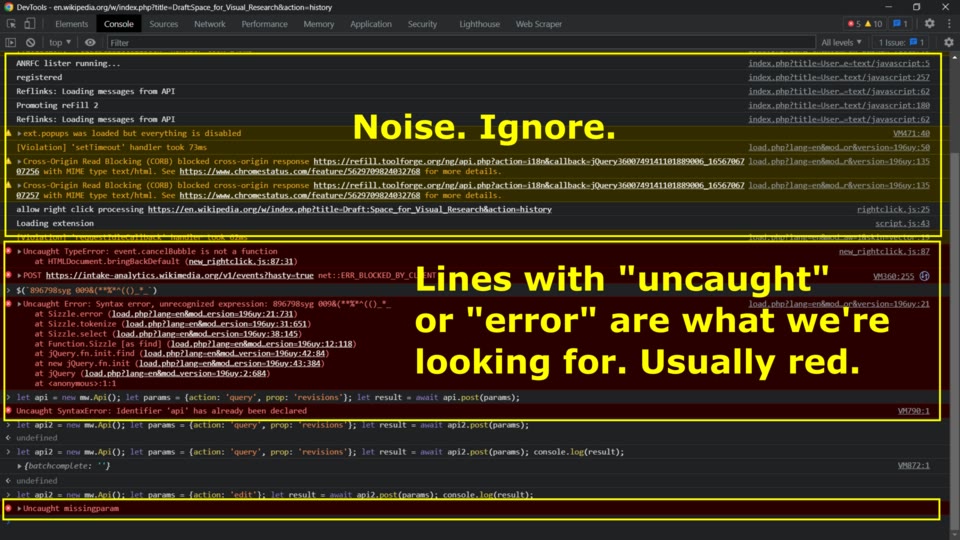
Most extension lists are a pile of things you install and then forget. These five cover real jobs that come up in a normal dev day: reading an API response, debugging a component tree, testing a login, and profiling a site you just met.
How these were picked
Each pick was checked against its own store page or maker’s site on October 13, 2026. This is a documentation comparison, not a benchmark. Prices and store listings change, so check the linked pages before you install.
The criteria were simple: does it do one job a web developer does every week, and does its page say plainly what it does and what it collects. BestWebExtension’s site documents its JSON viewer, react.dev’s debugging page points to the React extension, and cookie-editor.com and wappalyzer.com cover their own tools. The table under the cards lines the five up on price, platforms and open-source status.
Which one to choose
Start with Best JSON Viewer when you read, query or edit API responses in the browser. It is the only pick here that keeps permissions optional, and a JSONata expression replaces a page of manual tree clicking. If your responses are very large, the JSON viewer list goes deeper into that one job.
Use React Developer Tools when you maintain a React app. The Components panel answers where a prop came from, and Profiler shows why a list re-renders. If your stack is Vue or Angular, look for their equivalent DevTools extensions instead.
Use Cookie-Editor when a login flow or a session bug needs hands-on fixes. Change a value and reload the page to see the effect. Editing a cookie you rely on can sign you out, so keep a real login around for comparison.
Use Wappalyzer when you want to see what a site is built with, before integrating with a service or when you inherit an unfamiliar codebase. It reads the pages you visit, so use it on a separate browser profile if you care about that.
Use JSON Viewer Pro when you want a chart and JSONPath navigation on top of a tree, and work mainly with smaller documents. For editing and querying large responses, Best JSON Viewer is the stronger tool. Its card names the honest trade-offs: it is younger, and work use needs a license.
For quick experiments with JSON or JavaScript itself, the online playgrounds list covers the no-install editors. An extension is for reading what an API already returned.
Best JSON Viewer
Best for reading, querying and editing API responses without leaving the browser
A privacy-first JSON viewer from BestWebExtension. It formats a JSON response into a tree, table or graph view, runs JSONata expressions to query or transform the document, and edits values inline with validation. Permissions are optional, it is open source, and its docs list Chrome and Firefox with identical functionality.
- Open source
- Yes
Good
- Tree, table and graph views, plus inline editing
- JSONata expressions query or transform a document
- Privacy-first, with optional permissions
- Open source
Watch out for
- Work use needs a paid license
- Younger extension with a small user base so far
Free for personal use; licensed for work use Chrome, Firefox, Opera, Brave, Arc Made by purplecandy
Visit Best JSON ViewerReact Developer Tools
Best for inspecting a React component tree and its props and state
Meta's free extension adds two panels to Chrome DevTools on pages built with React. Components shows the component hierarchy and the props and state of each node. Profiler records performance information. It is open source, and versions exist for Edge and Firefox.
- Open source
- Yes
Good
- Component tree with props and state
- Profiler records render performance
- Free, open source, from the React team
Watch out for
- Only useful on pages that use React
- Needs permission to read the page's React tree
Free Chrome, Edge, Firefox
Visit React Developer ToolsCookie-Editor
Best for creating, editing and deleting cookies while testing a session
A cookie manager for the current tab: create, edit or delete cookies without leaving the tab. Its store listing discloses that it does not collect or use your data, and the source is on GitHub. Firefox, Edge, Safari and Opera versions exist too.
- Open source
- Yes
Good
- Create, edit and delete cookies in the current tab
- Store page discloses it does not collect or use your data
- Open source, with versions for other browsers
Watch out for
- Per-tab editing, with no batch or automation features listed
- Changing a session cookie can sign you out
Free Chrome, Firefox, Edge, Safari, Opera
Visit Cookie-EditorWappalyzer
Best for finding out what a site is built with
A technology profiler that identifies the frameworks, analytics, CMS and libraries behind any site, drawing on data from millions of websites. Handy for competitor research or for recognizing an unfamiliar stack.
- Open source
- Not stated
Good
- One click lists a site's technologies
- Covers frameworks, analytics, CMS and libraries
- Free
Watch out for
- Needs permission to read the pages you visit
- Store listing does not state it is open source
Free Chrome
Visit WappalyzerJSON Viewer Pro
Best for a tree and chart view with JSONPath navigation
A free JSON viewer whose listing highlights a tree and a chart view, JSONPath navigation, and importing local JSON, YAML or XML files. Dark and light themes are built in.
- Open source
- Not stated
Good
- Tree and chart views for the same document
- JSONPath navigation and breadcrumbs
- Imports local JSON, YAML and XML files
Watch out for
- Chart view adds little for plain debugging
- Store listing does not state it is open source
Free Chrome
Visit JSON Viewer ProSide by side
| Aspect | Best JSON Viewer | React Developer Tools | Cookie-Editor | Wappalyzer | JSON Viewer Pro |
|---|---|---|---|---|---|
| Best for | reading, querying and editing API responses without leaving the browser | inspecting a React component tree and its props and state | creating, editing and deleting cookies while testing a session | finding out what a site is built with | a tree and chart view with JSONPath navigation |
| Price | Free for personal use; licensed for work use | Free | Free | Free | Free |
| Platforms | Chrome, Firefox, Opera, Brave, Arc | Chrome, Edge, Firefox | Chrome, Firefox, Edge, Safari, Opera | Chrome | Chrome |
| Open source | Yes | Yes | Yes | Not stated | Not stated |
Questions
Do any of these Chrome extensions cost money?
All five are free to install. Best JSON Viewer is free for personal use, and a paid license is only needed for commercial or work use.
Which extension should a web developer install first?
Best JSON Viewer if you read API responses often, React Developer Tools if you build with React, and Cookie-Editor when you test logins and sessions.
Read next
 How to Develop a Chrome ExtensionBuild your first Chrome extension in about ten minutes: the manifest, a popup page, loading it in developer mode, and debugging it. No build tools needed.
 Best JSON Viewer Extensions for Large PayloadsFive browser extensions for inspecting large JSON responses: virtualized trees, JSONata queries, JSONPath navigation, and which ones stay fast on huge payloads.
 Best Online JavaScript Playgrounds for Quick ExperimentsFive no-install JavaScript playgrounds compared: browser REPLs, CDN packages, and full npm projects, with their free tiers and limits.