 Calibre Zen Guide
 How to Convert MOBI to AZW3
Convert a MOBI ebook to AZW3 (KF8) in calibre or Calibre Zen: check what your file really is, set the output format and a Kindle profile, and move it to your Kindle by USB.

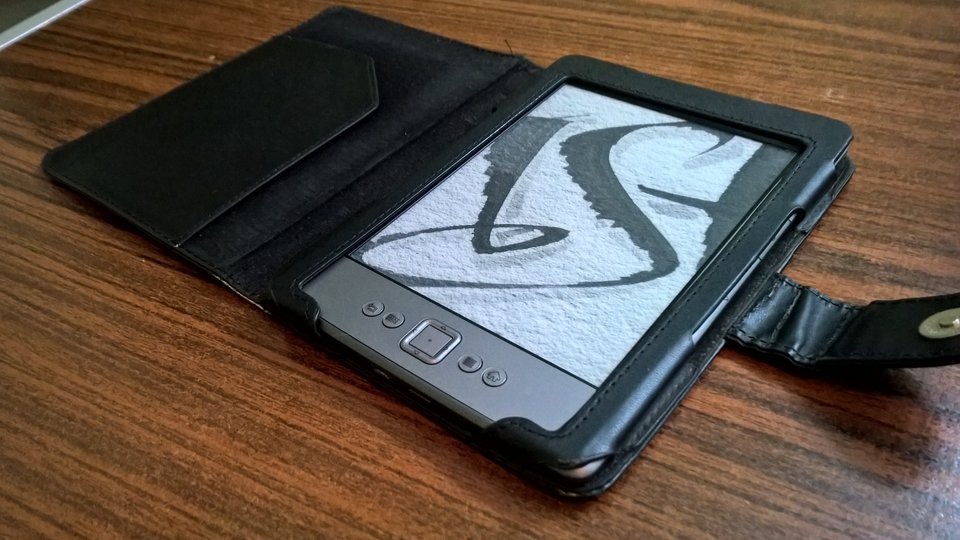
AZW3 is Amazon’s KF8 format, the one its Kindles have used since the fourth generation. It supports what old-style MOBI does not: a real table of contents and a subset of HTML5 and CSS3 for layout. When you send an EPUB to a Kindle, Amazon converts it to this same format.
Converting one is a single dialog in calibre, and Calibre Zen uses the same one. But check first whether you need it at all: a .mobi file may already be KF8 content inside.
Check what your MOBI really is
Per the calibre FAQ, MOBI books come in two types, Mobi6 and KF8, and calibre fully supports both as inputs and outputs. A file that carries an .azw3 extension is KF8 already: converting it to AZW3 is a repackage you can skip.
A plain .mobi can be either type. If you do not know which, converting is safe. calibre reads both, and the original file is never changed.
What you need
- Calibre Zen or calibre, on Windows, macOS or Linux. This guide names the menus in Calibre Zen; they are calibre’s own menus, because Calibre Zen is calibre’s build with a new interface on top. The steps are identical either way.
- One MOBI file, with DRM removed. calibre will not convert DRM-protected ebooks, per the calibre manual.
- A Kindle from the fourth generation or newer. Older Kindles only read MOBI, so converting for them is the wrong direction.
- The Kindle model in mind. It decides the output profile in step 4.
1. Add the MOBI to the library
Open the app and click Add books in the top toolbar, then pick the MOBI file. If you added a whole folder, the file appears in your library with the rest.
If you already run a calibre library, Calibre Zen opens it as it is. The full comparison of the two apps is in Calibre Zen vs calibre.
2. Open the conversion dialog
Select the book, click Convert books in the toolbar, and choose Convert individually. The conversion dialog opens with the book’s title in the top left.
At the top right, the Output format dropdown shows the default format. Choose AZW3. It is one of the output formats both apps share.
3. Set a Kindle output profile
AZW3 is a Kindle-family format, so the calibre manual says it plainly: when converting to MOBI or AZW3 you will almost always want one of the Kindle output profiles. In the dialog, open the Page setup section and set Output profile to the device family you are targeting, for example a Kindle or Kindle Paperwhite.
The profile controls screen size and font scaling. The same input can look different on a small e-ink model and a tablet Kindle, and the profile is what keeps the text sized right on each.
4. Convert and find the file
Click OK to start the job. A box in the bottom right tracks progress, and the format column of the book row gains an AZW3 entry when it finishes.
The file lives in the library folder, in the sub-folder calibre created for that author and title. Right-click the book and choose Open containing folder to find it. calibre keeps the original MOBI untouched, so you end up with both formats side by side.
To check the result, right-click the book and choose View format → AZW3. The built-in viewer opens the file exactly as produced.
5. Move the AZW3 to your Kindle
Connect the Kindle by USB, select the book, and click Send to device. calibre sends the format the device reads, and AZW3 is the right choice for a fourth-generation or newer Kindle. Save to disk writes the file where you point it, for apps that import a local file.
Do not use the email path for AZW3. Amazon does not accept email delivery of AZW3 files, nor of new-style KF8 MOBI files, per the calibre FAQ. If you want a book over the air, send the EPUB instead: Amazon converts EPUB to KF8 on its side, which is the same format you just made locally. calibre’s own guidance is to take MOBI out of the email list under Preferences → Sharing → Sharing books by email and add EPUB.
Converting the other way? The EPUB to MOBI guide covers that path, for the older Kindles and apps that only read MOBI.
When it won’t help
- The MOBI has DRM. calibre will not convert it. Books locked by DRM stay locked until the DRM is removed, which may be illegal where you live.
- Your Kindle is older than the fourth generation. Those models read MOBI, not AZW3. Keep the MOBI, or use the EPUB to MOBI path above.
- The file is already KF8. If it carries an .azw3 extension, converting just repackages it.
- You want the newest typesetting. From 2015 on, newer Kindle e-readers use a layout engine that adds hyphens, kerning and ligatures, and that engine lives in the KFX format. Sideloaded AZW3 still renders, but it does not carry that engine.
Takeaways
- Check first: .mobi files can be Mobi6 or KF8, and .azw3 files already are KF8.
- Convert books → Convert individually, output format AZW3, and a Kindle output profile under Page setup.
- calibre keeps the MOBI, so converting is lossless and reversible.
- Deliver by USB with Send to device: Amazon does not accept email delivery of AZW3.
- For an over-the-air copy, send the EPUB and Amazon makes the KF8 itself.
Questions
Why convert MOBI to AZW3 at all?
AZW3 is Amazon's KF8 format. It supports richer layout than old-style MOBI: a real table of contents and a subset of HTML5 and CSS3. Kindles from the fourth generation on read it, and it is the format Amazon itself makes when you send an EPUB to a Kindle.
Is my MOBI file already AZW3?
It might be. MOBI files come in two types, Mobi6 and KF8, and calibre reads both. A file that already carries an .azw3 extension is KF8 content, and converting it to AZW3 adds nothing.
Can I email an AZW3 file to my Kindle?
No. Amazon does not accept email delivery of AZW3 files. Move the file with a USB cable instead, or send an EPUB over the air and let Amazon convert it to the same format.
Does Calibre Zen convert MOBI to AZW3?
Yes. Calibre Zen ships calibre's own conversion engine with a new interface on top, so the dialog, formats and settings are the same as calibre's.
Read next
 How to Convert MOBI to EPUBConvert a MOBI ebook to EPUB in calibre or Calibre Zen: add the book, pick the output format and profile, end up with a real table of contents, and send it to your reader.
 What Format Are Audiobooks In? M4B, MP3 and AAXAudiobooks come as M4B, MP3 or Audible's protected AAX, and streaming apps give you no file at all. Here is each format, how to check what you have, and what plays it.
 How to Convert EPUB to MOBIConvert an EPUB to MOBI in calibre or Calibre Zen: add the book, pick the output format and a Kindle profile, and send the result to your reader.