What Format Are Audiobooks In? M4B, MP3 and AAX
Audiobooks come as M4B, MP3 or Audible's protected AAX, and streaming apps give you no file at all. Here is each format, how to check what you have, and what plays it.

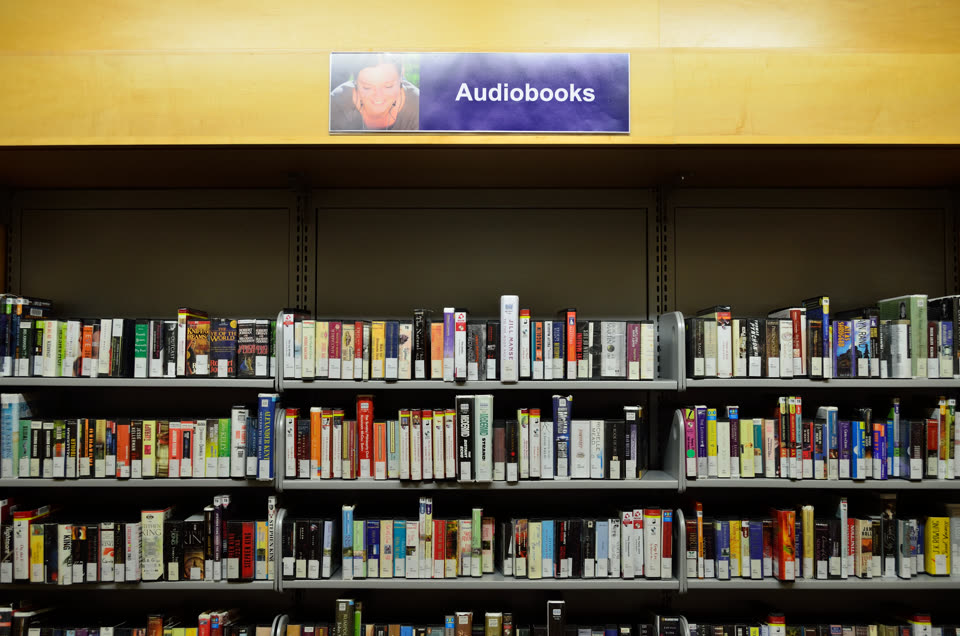
Audiobooks come in a small set of file formats, and one was built for the job. M4B is the audiobook standard: AAC audio in an MP4 container, with chapter markers and a saved position. Most stores and players use it. MP3 is the universal fallback, and Audible keeps its books in a locked format called AAX. Streaming apps hand you no file at all.
This guide names each format, shows how to check what you actually have, and says what can play it. Product facts were checked against the sources linked below on October 10, 2026.
What you need
- The audiobook files, wherever they live on your computer.
- A file manager is enough for the first check.
- A terminal for the exact checks:
fileis built into Linux and macOS and ships with Git Bash on Windows, andffprobecomes with every ffmpeg install.
1. Check the file extension
The extension is the first hint: .m4b, .mp3, .m4a, .flac, .wav, .aax. Your file manager shows it in the file’s Properties (Windows and Linux) or Info (macOS) window.
Renaming changes nothing. A .mp3 copied and renamed to .m4b is still an MP3, because players read the contents, not the name. When the extension is missing or hidden, step 2 settles it.
2. Confirm with file or ffprobe
file reads the real format from the bytes. On an M4B it names the MP4 container:
$ file sample.m4b
sample.m4b: ISO Media, MP4 Base Media v1 [ISO 14496-12:2003]ffprobe, which ships with ffmpeg, names the container and the codec:
$ ffprobe -hide_banner sample.m4b
Input #0, mov,mp4,m4a,3gp,3g2,mj2, from 'sample.m4b':
  Stream #0:0: Audio: aac (LC) (mp4a / 0x6134706D), 44100 Hz, mono
An MP3 shows up as MPEG ADTS, layer III, and a FLAC as FLAC audio bitstream. An Audible AAX is different: plain tools see the container but not the audio, because the audio is encrypted and only Audible holds the key.
3. The formats you will meet
M4B, the standard. AAC audio in an MP4 container, with chapter markers and bookmark support built in. Apple Books and most audiobook apps read it natively: BookPlayer, Smart Audiobook Player, Prologue and Plex all list it. You get M4B from Apple Books, from Libro.fm as a single-file download, and from many smaller stores.
MP3, the fallback. It plays on anything with a speaker, including car stereos and decade-old players. It has no native chapters and no saved position: most apps restart a plain MP3 from the beginning, and any bookmark is the app’s own. Stores hand out MP3 as one zip per track, which is why an MP3 audiobook is a folder of files instead of one title.
M4A, M4B without the book part. Same container and codec, but the extension does not signal an audiobook, so players treat it as plain audio. You meet it when someone hands you “the audio” of a book.
FLAC and WAV, the lossless pair. Far larger than MP3 or AAC, and rare from stores. They show up with self-made or archival copies, and VLC plays both.
AAX and AAXC, Audible’s locked files. AAC audio wrapped in Audible’s DRM. They play in Audible’s apps and authorized devices only, and nothing converts them. AAXC is the newer protected variant that appears on some downloads.
4. Streaming and library apps give you no file
Audible’s streaming catalog, Spotify, Kobo and Google Play Books play inside their own apps. There is no file to find, check or move.
Library audiobooks work the same way. Libby’s help pages say audiobooks cannot be transferred to MP3 players or iPods, so listening happens in the Libby app or its browser player. That is why the “what format” question usually comes from people who bought files: a store download is the only case where you own a format.
5. Match the format to a player
- M4B goes to an audiobook app: BookPlayer, Smart Audiobook Player, Prologue, Plex. VLC plays it too.
- MP3 plays anywhere. This is the format for old portable players and car use.
- M4A, FLAC, WAV play in any media player; VLC covers all three.
- AAX, AAXC stay in the Audible app.
For your own collection on Linux, the best open source apps list covers VLC and the rest of a daily desktop. A self-hosted server like Audiobookshelf manages audiobooks the way calibre manages ebooks: metadata, cover art, progress per user, and its own tools can merge separate audio files into a single M4B.
When it won’t help
- Audible lock-in. AAX and AAXC play only in Audible apps. No converter, free or paid, opens them. If you want files you can move between players, buy DRM-free; Libro.fm’s download page is a working example of MP3 and M4B files you own.
- Library apps. Libby and OverDrive books never leave their apps, so there is nothing to check or convert.
- Renaming instead of converting. The extension is a hint, not a conversion. Real format changes belong to ffmpeg or a converter app, and the original file should stay untouched.
- Chapters from nowhere. Converting M4B to MP3 drops the chapter markers, and no player invents them later.
- Ebooks and audiobooks are different jobs. Calibre Zen and calibre organize ebooks: metadata, covers, and conversion between EPUB and MOBI. Audiobooks are audio files, so they belong in an audiobook player, not in your calibre library. If your question is really about book formats, the EPUB to MOBI guide and organising a calibre library on Linux cover that side.
Takeaways
- M4B is the audiobook format: an MP4 container, AAC audio, chapters, and a saved position.
- MP3 plays anywhere but carries no chapters.
- Audible’s AAX keeps the audio inside its DRM, and library and streaming apps keep theirs in-app.
fileandffprobetell you the true format; the extension is just a hint.- Renaming a file never converts it, and a player cannot add chapters a file does not have.
Questions
What format are Audible audiobooks?
AAX: AAC audio locked with Audible's DRM. It plays only in Audible apps and authorized devices, and it cannot be converted to other formats.
Can I convert M4B to MP3?
Yes, with ffmpeg or a converter app. You lose the chapter markers and the result is one long audio file. Audible's protected AAX files do not convert.
What is the difference between M4A and M4B?
Almost nothing in the bytes. Both are MP4 containers with AAC audio. The .m4b extension tells player apps this is an audiobook, so they keep chapters and remember your position.
Do audiobooks play on any phone?
MP3 plays nearly anywhere. M4B needs an audiobook app or a player that reads chapter markers. AAX plays only inside the Audible app.
Read next
 How to Convert MOBI to EPUBConvert a MOBI ebook to EPUB in calibre or Calibre Zen: add the book, pick the output format and profile, end up with a real table of contents, and send it to your reader.
 How to Convert MOBI to AZW3Convert a MOBI ebook to AZW3 (KF8) in calibre or Calibre Zen: check what your file really is, set the output format and a Kindle profile, and move it to your Kindle by USB.
 How to Convert EPUB to MOBIConvert an EPUB to MOBI in calibre or Calibre Zen: add the book, pick the output format and a Kindle profile, and send the result to your reader.