 Calibre Zen 6 picks
 Best Open Source Apps for Linux: 2026
Six free and open source apps that cover the daily jobs on a Linux desktop: books, video, images, office work, audio and streaming. All checked at their own sites in October 2026.
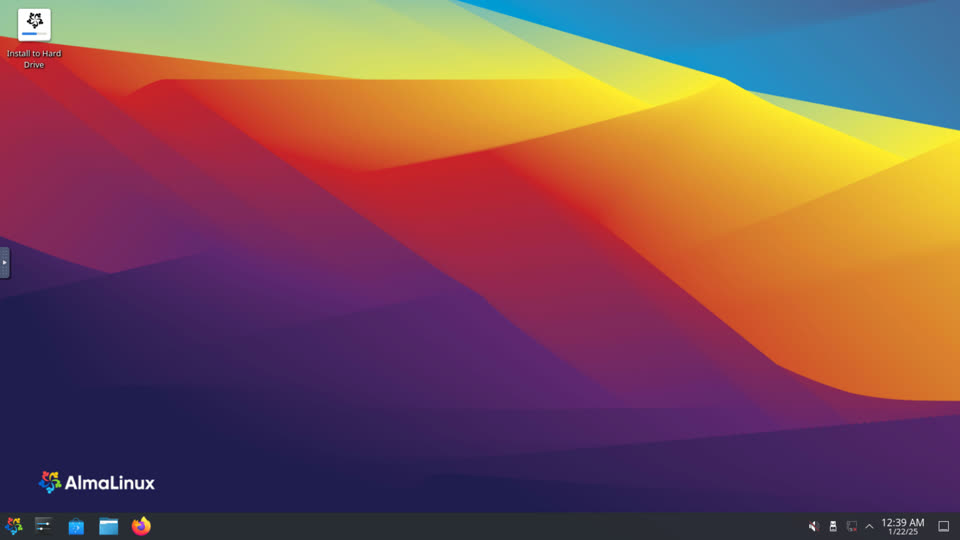
These six apps cover most of the daily jobs on a Linux desktop: reading books, playing video, editing images, office work, audio and streaming. All six are free and open source, and all six run on Linux.
How these were picked
This is a documentation snapshot, not a hands-on test. Every claim was checked against the tool’s own site on October 10, 2026, and the version numbers above are the ones those sites list today. The criteria: free and open source, a current release, Linux support, and one clear job done well.
Which one to choose
Start with Calibre Zen when ebooks are part of your life. It opens the calibre library you may already have, adds a modern interface and opens books almost instantly. If you do not read ebooks, it is not the app for you, which is fine.
Use VLC for the one player that opens whatever you throw at it. Install it first, and codec hunting stops being a thing.
Use GIMP when you need real image editing: retouching photos, making graphics, batch work. It is the closest free equivalent to a paid editor.
Use LibreOffice for documents, spreadsheets and slides. It is private and free, and it opens the office files people send you. Just check complex layouts before sending them back.
Use Audacity to record, cut and convert audio. It is the same app used in the best offline noise removal list, and it pairs well with Ampliflare Audio for cleaning speech.
Use OBS Studio when you record the screen or stream live. Tutorials, meetings and streams all run through it.
For the deeper calibre angle, see how to organise a big calibre library on Linux, Calibre Zen vs calibre and the Calibre alternatives roundup. If you convert between formats, the EPUB to MOBI guide covers that task.
Calibre Zen
Best for managing and reading an ebook library with a modern interface
A fork of calibre that rethinks the interface: book lists, filters, cover grids and themes. It installs as a separate app, so calibre stays untouched, and your libraries, settings and plugins do not move. Version 0.3.0 opens books in about a tenth of a second.
- License
- GPL-3.0
- Latest release
- 0.3.0 (Oct 2026)
Good
- Runs alongside calibre; both apps open the same library
- Reader opens books in about a tenth of a second
- Free and open source, GPL-3.0
- Windows, macOS and Linux
Watch out for
- Younger project; calibre's older interface still has more surface area
- Designed for calibre users, not as a standalone ebook reader
Free and open source Windows, macOS, Linux Made by purplecandy
Visit Calibre ZenVLC
Best for playing almost any media file without codec packs
The free and open source player from VideoLAN. It plays most multimedia files, DVDs, Audio CDs, VCDs and streaming protocols, with no spyware, ads or user tracking.
- License
- GPL-2.0
- Latest release
- 3.0.24
Good
- Plays nearly every format out of the box
- Available for every major desktop and mobile platform
- No ads, no tracking, completely free
Watch out for
- Its interface stays functional rather than pretty
- No built-in library management for a large collection
Free Windows, macOS, Linux, Android, iOS
Visit VLCGIMP
Best for free photo editing and image composition
The Free and Open Source Image Editor, as its site puts it. GIMP 3.2 covers photo retouching, painting and graphics work, with a plugin ecosystem behind it.
- License
- GPL-3.0
- Latest release
- 3.2.6
Good
- A full image editor, not a toy
- Runs on Windows, macOS and Linux
- Scripts and plugins extend it
Watch out for
- Steeper learning curve than simple paint apps
- Interface conventions differ from paid editors
Free Windows, macOS, Linux
Visit GIMPLibreOffice
Best for documents, spreadsheets and presentations without a subscription
The open source office suite, at version 26.8. Its site calls it free and private, with no forced AI. Writer, Calc and Impress cover the everyday office jobs.
- License
- MPL-2.0
- Latest release
- 26.8
Good
- Full office suite, one install
- Private by design; no cloud account needed
- Reads and writes common office formats
Watch out for
- Complex documents from other suites can shift layout
- Slower to adopt brand-new features than subscription rivals
Free Windows, macOS, Linux
Visit LibreOfficeAudacity
Best for recording and editing audio on any budget
The free and open source audio editor, at 4.0.1. It records, edits and converts across the major formats, with spectrogram analysis and VST3 and Nyquist plugin support.
- License
- GPL-3.0
- Latest release
- 4.0.1
Good
- Free and open source for everyone
- Cross-platform on Windows, macOS and Linux
- Converts between WAV, MP3, FLAC, Ogg and more
Watch out for
- Downloads route through MuseHub, the official distributor
- Interface is dense until you learn it
Free Windows, macOS, Linux
Visit AudacityOBS Studio
Best for video recording and live streaming
Free and open source software for video recording and live streaming, at version 32.2.2. It is the standard tool for tutorials, talks and game streams on Linux.
- License
- GPL-2.0
- Latest release
- 32.2.2
Good
- Scenes, sources and transitions for polished output
- Records at high quality with hardware encoding
- Runs on Windows, macOS and Linux
Watch out for
- Configuration takes time for a complex stream
- No built-in video editor for the result
Free Windows, macOS, Linux
Visit OBS StudioSide by side
| Aspect | Calibre Zen | VLC | GIMP | LibreOffice | Audacity | OBS Studio |
|---|---|---|---|---|---|---|
| Best for | managing and reading an ebook library with a modern interface | playing almost any media file without codec packs | free photo editing and image composition | documents, spreadsheets and presentations without a subscription | recording and editing audio on any budget | video recording and live streaming |
| Price | Free and open source | Free | Free | Free | Free | Free |
| Platforms | Windows, macOS, Linux | Windows, macOS, Linux, Android, iOS | Windows, macOS, Linux | Windows, macOS, Linux | Windows, macOS, Linux | Windows, macOS, Linux |
| License | GPL-3.0 | GPL-2.0 | GPL-3.0 | MPL-2.0 | GPL-3.0 | GPL-2.0 |
| Latest release | 0.3.0 (Oct 2026) | 3.0.24 | 3.2.6 | 26.8 | 4.0.1 | 32.2.2 |
Questions
Are all of these apps really free?
Yes. All six are free to download and use, and all six are open source, with the licenses listed in their cards.
Do these apps work on any Linux distribution?
Mostly. VLC, GIMP, LibreOffice, Audacity and OBS Studio ship in the major distributions' repositories. Calibre Zen provides its own Linux installer and archives, since it tracks calibre releases closely.
Is Calibre Zen a replacement for calibre?
No. Calibre Zen is a fork that installs beside calibre. Both apps open the same library folder, one at a time, and neither changes the other's settings.
Read next
- Calibre Zen 0.2: Move From calibre in One ClickCalibre Zen 0.2.0 brings your calibre settings, library and plugins over in one click, and adds updates from inside the app, a smaller Edit metadata window and a Flatpak.
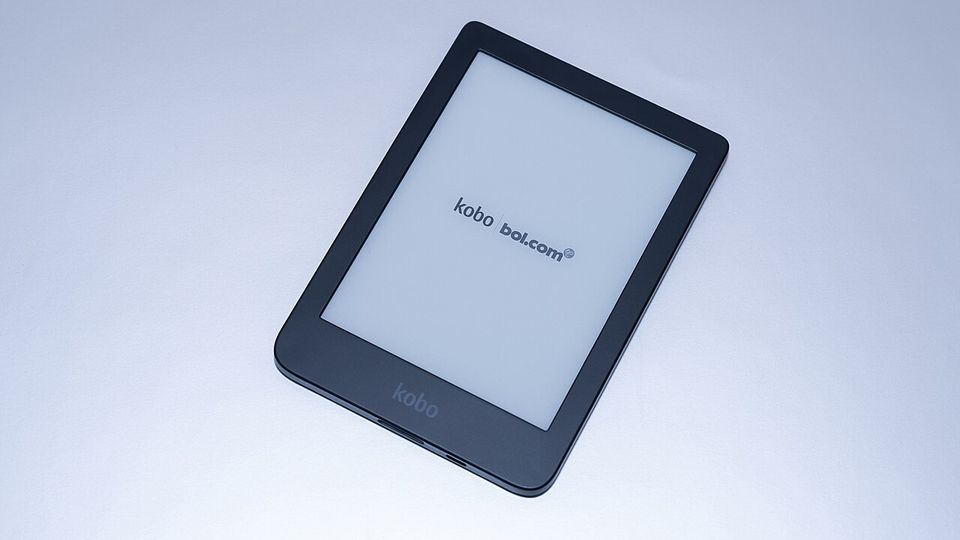 How to Convert MOBI to EPUBConvert a MOBI ebook to EPUB in calibre or Calibre Zen: add the book, pick the output format and profile, end up with a real table of contents, and send it to your reader.
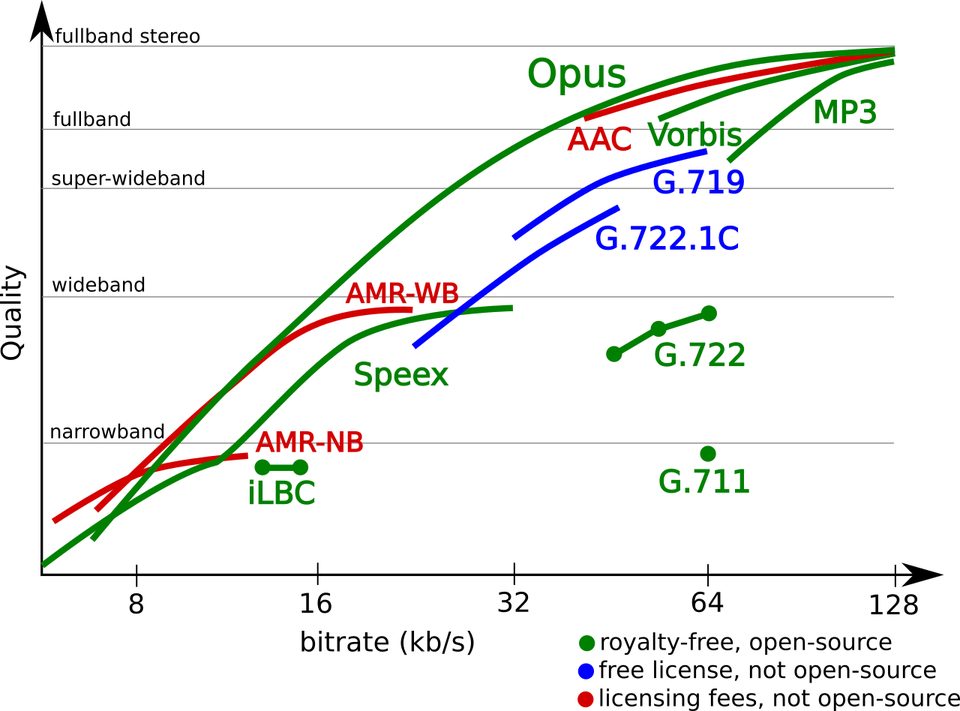 What Is an Opus File? The Audio Codec ExplainedOpus is an open audio format that sounds better than MP3 at the same file size. Here's what it is, where you'll meet it, and how to open and convert it.