 Calibre Zen Versus
 Calibre Zen vs calibre: Same Library, a Calmer Interface
Calibre Zen is calibre with a new interface on top. Here's what's the same, what changed, and when stock calibre is still the better pick.

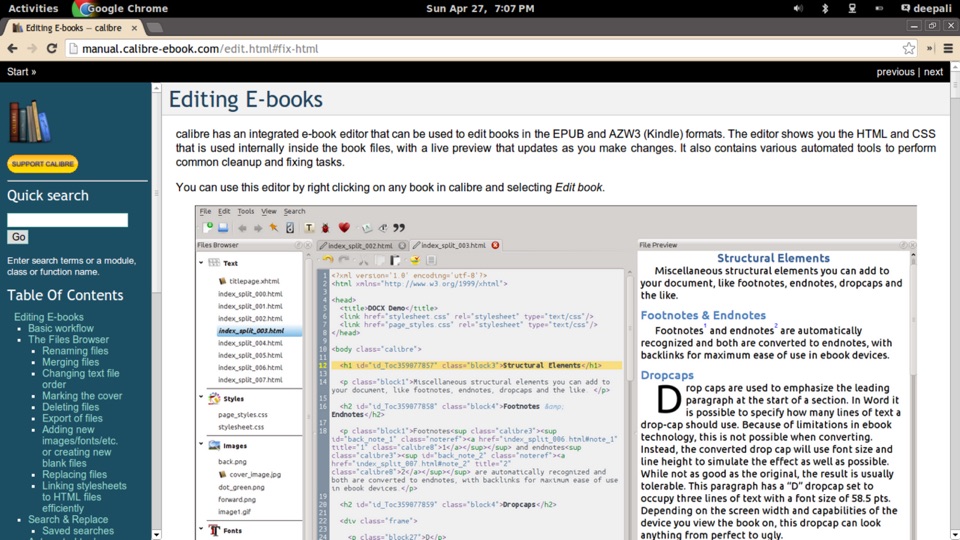
The short answer
Use Calibre Zen if calibre's interface gets in your way: it's the same library manager with a consistent, themed interface. Stay on stock calibre if you rely on plugins that restyle the app, or want the original look. They can open the same library, one at a time.
| Aspect | Calibre Zen | calibre |
|---|---|---|
| What it is | calibre with a new interface layer on top | The original ebook library manager |
| Library, features, formats | Same as calibre. Calibre's code is wrapped, never edited | The original |
| Built on | calibre's own release binary (0.2.0: calibre 9.15) | Its own codebase |
| Look | Six colour schemes; light, dim and dark; Inter and Literata bundled | calibre's own styling |
| Icons | All 179 top-level icons redrawn as line glyphs in the theme colour | calibre's original icons |
| Tag browser | Replaced by a filter panel with counts and a Reset | Tree view |
| Book list | Preview pane above, a Details column, Grid/Table switch | Table |
| Plugins | Run as in calibre. Plugins that change the look may conflict | All plugins |
| Switching | One-click import of calibre settings, library and plugins | — |
| Platforms | Windows, macOS, Linux | Windows, macOS, Linux |
| Price | Free and open source | Free and open source |
calibre is the best library manager there is. It does more than any other tool in its category. Calibre Zen exists because its interface makes simple things feel hard: buttons that look the same behave differently, and spacing changes from one panel to the next.
So Calibre Zen changes how calibre looks without ever editing calibre.
How Calibre Zen is built
Calibre Zen is calibre with a new interface layer on top. A separate package, the overlay, attaches to calibre when the app starts and wraps calibre’s functions from the outside. calibre’s own code is left alone, so each new calibre release merges in cleanly.
The installer is calibre’s own release binary with the overlay’s Python beside it. Nothing is compiled; Qt and every compiled piece come straight from upstream. The binary you run is the one calibre published.
What’s different
One consistent theme. Every colour, corner radius and bit of spacing is a named token. Buttons, menus, fields and tabs share one padding and one corner. Six colour schemes, with light, dim and dark.
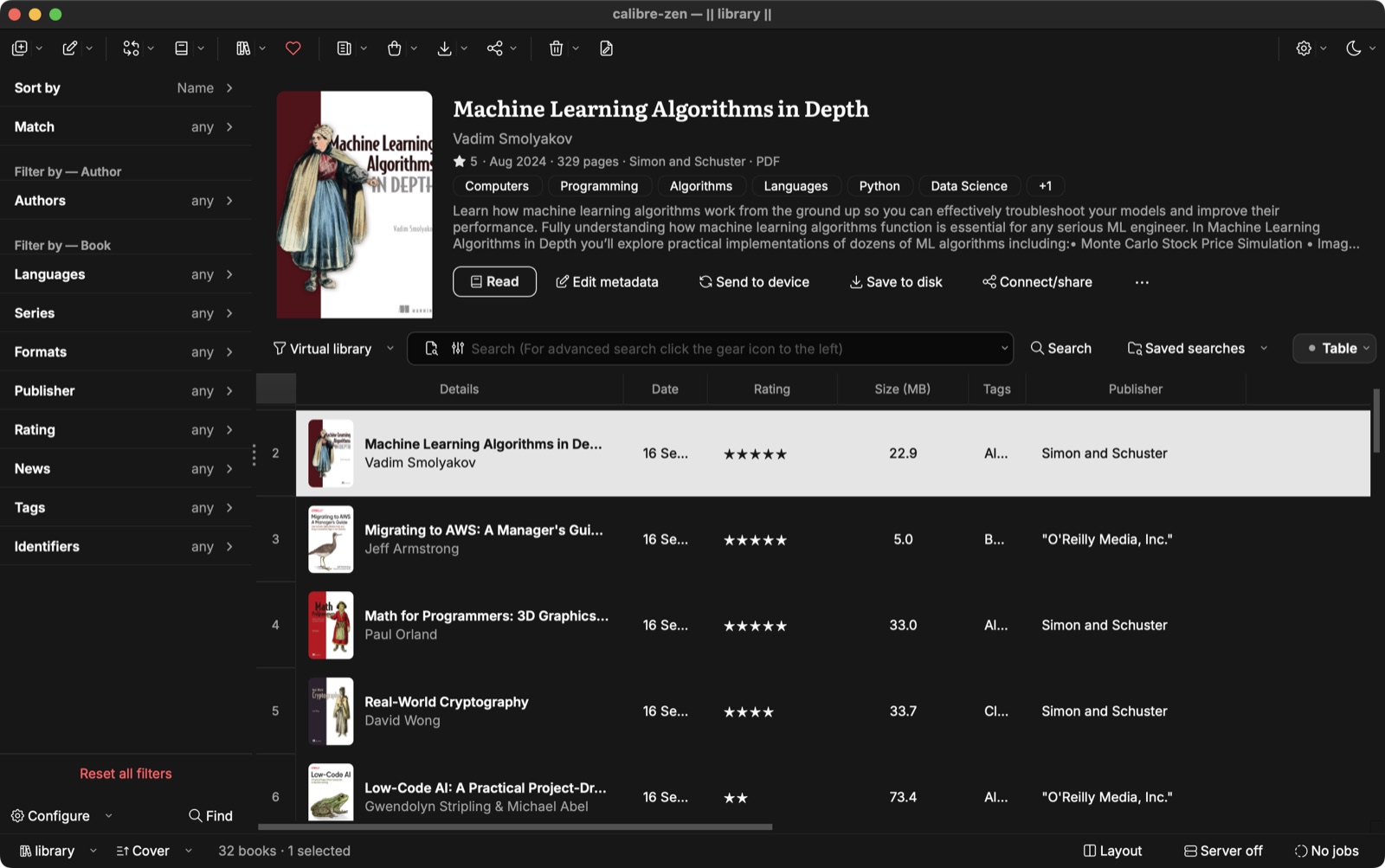
Three widgets replaced. The tag browser becomes a filter panel. The book list gets a preview pane and a Details column. The status bar shows the library, the sort, the content server and running jobs. They read calibre’s own models and database, so no data is copied.
Every part has a switch. Set CALIBRE_ZEN_STYLE=0 and stock calibre comes back. The theme, icons, filter panel, preview and status bar can each be turned off on their own.
When stock calibre is the better pick
- You use plugins that restyle calibre. A plugin that sets its own fonts or colours fights with Calibre Zen’s theme. Plugins that don’t touch the look run as they do in calibre; DeDRM, FanFicFare, Export to Markdown and Quality Check are tested.
- You need parts Calibre Zen hasn’t reached yet. Some calibre views paint themselves with custom code the theme can’t reach; the bookshelf view is one of them.
- You want a calibre version the day it ships. Calibre Zen moves to new calibre versions in its own releases (0.2.0 is on calibre 9.15).
Using both
You don’t have to choose once. Calibre Zen’s welcome wizard copies your calibre settings once and leaves calibre exactly as it was. Both apps can open the same library; use it in one app at a time.
Questions
Does Calibre Zen replace calibre?
No. Calibre Zen is calibre with a new interface on top: it ships calibre's own release binary and wraps calibre's code instead of editing it. Your calibre install stays exactly as it was.
Can I use my existing calibre library?
Yes. Both apps can open the same library. Use it in one app at a time.
Do calibre plugins work in Calibre Zen?
Plugins run as they do in calibre. Plugins that set their own fonts or colours can conflict with Calibre Zen's theme. DeDRM, FanFicFare, Export to Markdown and Quality Check are tested.
Can I get stock calibre's look back?
Yes. Set CALIBRE_ZEN_STYLE=0 and stock calibre comes back. The theme, icons, filter panel, preview and status bar can each be turned off on their own.
Read next
 How to Convert MOBI to EPUBConvert a MOBI ebook to EPUB in calibre or Calibre Zen: add the book, pick the output format and profile, end up with a real table of contents, and send it to your reader.
 How to Convert MOBI to AZW3Convert a MOBI ebook to AZW3 (KF8) in calibre or Calibre Zen: check what your file really is, set the output format and a Kindle profile, and move it to your Kindle by USB.
 What Format Are Audiobooks In? M4B, MP3 and AAXAudiobooks come as M4B, MP3 or Audible's protected AAX, and streaming apps give you no file at all. Here is each format, how to check what you have, and what plays it.