Audacity vs iZotope RX for Audio Repair
A steady hum and a short noise over speech need different repairs. Compare Audacity with RX 12 Standard, then see Ampliflare's place in the workflow.

The short answer
Start with Audacity for free editing and steady background noise. Choose RX 12 Standard when you need to isolate or repair a sound at a precise moment. Ampliflare Audio is the simpler local route for a batch of speech files.
| Aspect | Audacity | iZotope RX 12 Standard |  Ampliflare Audio Ampliflare Audio |
|---|---|---|---|
| Primary job | General audio editing | Audio restoration and repair | Speech cleanup and basic file tools |
| Steady noise | Noise Reduction from a captured profile | Spectral De-noise and Dialogue Isolate | One-pass Remove noise |
| One-off sound | Manual spectral tools and edits | Spectral Repair for selected sounds | No spectral repair tool |
| Noise-only sample | Needed for main Noise Reduction effect | Not needed for Dialogue Isolate | Not needed |
| Many files | Manual editor workflow | Repair workflow per problem area | Cleans a whole session in one pass |
| Where audio is processed | On your computer | On your computer | On your computer |
| Price model | Free | Paid editions | Free for personal use; a license for commercial use |
First identify the problem. If the unwanted sound runs under the whole recording, you can treat a wide stretch. If it happens once over a word, you need a way to work on that moment without changing the rest.
Audacity handles the common editing job
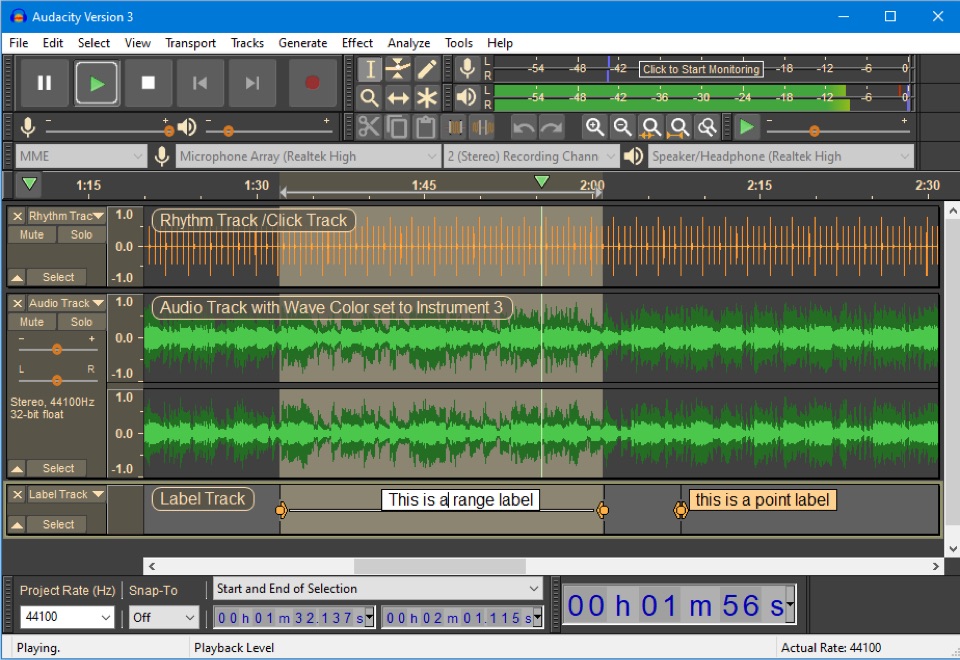
Audacity is free and includes a full editor. Its Noise Reduction effect learns from a short selection of noise alone, then applies that profile to the recording. It works best when the unwanted sound stays steady.
Audacity also has spectral tools for a selected time and frequency range. They let you target a small sound, but you make the selection and choose the action yourself. For a regular podcast edit with a fan in the background, Audacity may already be enough.
RX has tools for harder repairs
The RX 12 edition chart lists Dialogue Isolate, Spectral De-noise and Spectral Repair in Standard. Dialogue Isolate treats speech against noise and reverb. Spectral Repair lets you work on a selected sound in the time and frequency view.
iZotope’s repair walkthrough treats steady background noise and intermittent creaks as separate jobs. It uses Dialogue Isolate for broad noise and Spectral Repair for a specific creak. RX is the stronger fit when that local control matters. It is a paid suite, and its extra tools take time to learn.
Ampliflare handles a repeatable speech pass
Ampliflare Audio runs Remove noise over a whole session of speech files, with a Strength slider instead of a captured profile. Enhance then levels each file to a loudness preset, and Convert exports the format you need. It doesn’t do RX’s spectral repair or Audacity’s multitrack editing. Details are in its 1.0 release notes.
Choose Audacity for a free editor and steady noise. Choose RX when the recording needs careful local repair. Choose Ampliflare when several speech files need the same cleanup and you do not need to repair individual sounds.
The offline noise removal list includes REAPER for people already working in a full audio workstation.
Read next
 Best Sound Repair Software for Damaged RecordingsRepair recorded audio by matching the damage to the tool: steady hiss and hum, clicks and crackle, or clipped peaks. Four picks compared, free and paid, October 2026.
 Mic Enhancer Software: Make a Voice Recording Sound BetterMic enhancer software fixes what makes a recording sound cheap: it takes out noise and rumble, evens the level, and sets it for where it plays. Here is the whole job, offline.
 Audio Leveler: How to Even Out a Recording's VolumeAn audio leveler matches a recording's loudness to where it plays: a podcast, audiobook, music streaming or broadcast. Here is the job, in Ampliflare Audio, offline.